HUD Widgets
Beeing Female ships a set of SkyUI-based on-screen widgets (backed by BeeingFemale/BeeingFemaleWidget.swf) that show live cycle/pregnancy state. They are positioned, scaled, and anchored through MCM settings and INI profiles.
Showing the widgets
Toggle visibility with the configured hotkey (the Widget Controller):
- Tap hotkey — show the State, Baby Health, and Contraception widgets for 5 seconds, then auto-hide.
- Hold 1.2 s — keep them visible until you press the hotkey again to dismiss.
- Hold 5 s — open the ranked info box for the player instead.
The widgets
| Icon | Widget | Shows |
|---|---|---|
 |
State | Current cycle/pregnancy phase, progress bar, elapsed time |
 |
Baby Health | Pregnancy chance (cycle) or unborn health (pregnant) |
 |
Contraception | Active contraception level and time remaining |
 |
Panty | Hygiene reminder during menstruation |
Widget icons are extracted from the mod's own widget art
The icons above are rendered from the shipped widget files (BeeingFemaleWid1–Wid5.swf). In-game they sit inside the meter bar frame; the Baby Health widget in particular dims to a faint outline when there is no relevant data, which can read as a barely-visible greyed icon.
State widget — the current cycle or pregnancy phase for the player (or a tracked NPC target). For female actors it shows the phase name (Follicular, Ovulation, Luteal, Menstruation, 1st/2nd/3rd Trimester, Labor Pains, Replenish), a matching icon, a fill bar for progress through the phase, and elapsed time since it began. For male actors it shows virility percentage and estimated time to full recovery. Hidden in immersive message mode.
The State widget swaps its icon to match the current phase. The recurring icons are:
| Icon | Meaning |
|---|---|
 |
Cycle / womb (follicular & luteal phases) |
 |
Ovulation — fertile window |
 |
Menstruation |
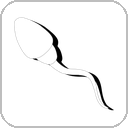 |
Viable sperm present |
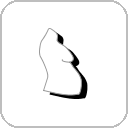 |
Pregnancy (trimesters) |
 |
Labor / birth |
 |
Replenish — post-birth recovery |
Baby Health widget — dual-mode. In a cycle phase (states 0–3) it shows your relative pregnancy chance as a percentage; while pregnant (states 4–7) it shows unborn baby health (0–100, or 0 once abortus has triggered). It stays hidden until baby health drops to 8 or below (alert-only), unless already in a non-cycle state under immersive settings.
Contraception widget — the active contraception level (0–100%) as a fill bar and label, with a countdown to expiry ("Overdue" when lapsed). Only visible when contraception was applied within the past 8 in-game days.
Panty widget — monitors your menstrual hygiene item during menstruation (state 3), polling hourly. Shows a bloody icon when a soiled pad/tampon is equipped, a needed icon when menstruating with nothing worn, and hides otherwise.
There is also a temporary Progress widget for background operations (initialization, add-on scanning, file checks) and a developer-only Couple widget for editing NPC couple data in-game (see NPC Pregnancy & Couples).
Repositioning the widgets (HUD profiles)
Widget layout is driven by INI profile files in Data/BeeingFemale/HUD/. The active profile defaults to default.ini. When more than one .ini file exists in that folder, the MCM exposes a dropdown to switch profiles at runtime.
Each file has one section per widget. All keys are optional — omitted keys fall back to the previously loaded value.
Common keys (all widgets):
| Key | Description |
|---|---|
PositionX |
Horizontal pixel offset from the anchor point. |
PositionY |
Vertical pixel offset from the anchor point. |
Enabled |
true/false — whether the widget is shown at all. |
Alpha |
Opacity, 0–100. |
HAnchor |
Horizontal anchor: left, right, or center. |
VAnchor |
Vertical anchor: top, bottom, or center. |
Scale |
Size multiplier (1.0 = 100%). |
Extra keys for [StateWidget] and [ContraceptionWidget]:
| Key | Description |
|---|---|
FillDirection |
Direction the bar fills: left or right. |
Color |
Bar fill color as hex (0xRRGGBB). |
DarkColor |
Bar background/dark color as hex. |
FlashColor |
Flash highlight color as hex. |
IconPosition |
Side the icon sits on: left or right. |
Shipped profiles:
default.ini— standard layout (state widget bottom-left, contraception bottom-right, baby/panty top-right area).LeftOver.ini— alternate layout with both cycle widgets stacked on the bottom-left.
To create a custom layout, copy default.ini to a new file (e.g. mylayout.ini) in the same folder, edit the values, and select it in the MCM under the widget profile dropdown.
Widget fade timing
Fade timing can be tuned via a type=global add-on INI (the active Default Global Settings.ini). Only one global add-on may be active at a time.
| Key | Default | Description |
|---|---|---|
Global_WidgetFadeOutTime |
3 (s) |
Time the widget stays visible before fading out. 0 uses the system default of 3 s. |
Global_WidgetFlashShowTime |
0.01 (s) |
Fade-in duration for widgets that flash on appearance. 0 or negative uses the system default. |
Global_WidgetNoFlashShowTime |
0.2 (s) |
Fade-in duration for widgets that appear without a flash. 0 or negative uses the system default. |